Why Tradie Google Reviews Disappear & How to Fix Them | Tradie Web & SEO
Why Your 5-Star Reviews Aren't Showing Up on Google Maps (And How to Fix It)
You just wrapped up a massive switchboard upgrade or finished laying down some premium turf. The client is wrapped with the work, pulls out their phone, writes a glowing 5-star review, and hits submit. You look at your phone, wait for the notification... nothing.
A few days pass, and it's still missing. You know damn well that how to get google reviews for tradies is the secret sauce to dominating the local map pack, so when they vanish into thin air, it feels like you're losing hard-earned cash.
You aren't imagining things. Google has aggressively tightened its review spam algorithms. If your customer’s feedback triggers even one technical red flag, Google’s automated system blocks it from public view without telling either of you.
Let’s look at the exact reasons your reviews are getting nuked and the step-by-step Standard Operating Procedure (SOP) your crew can use on-site to make sure every 5-star review sticks.
The Technical Reasons Your 5-Star Reviews Are Vanishing
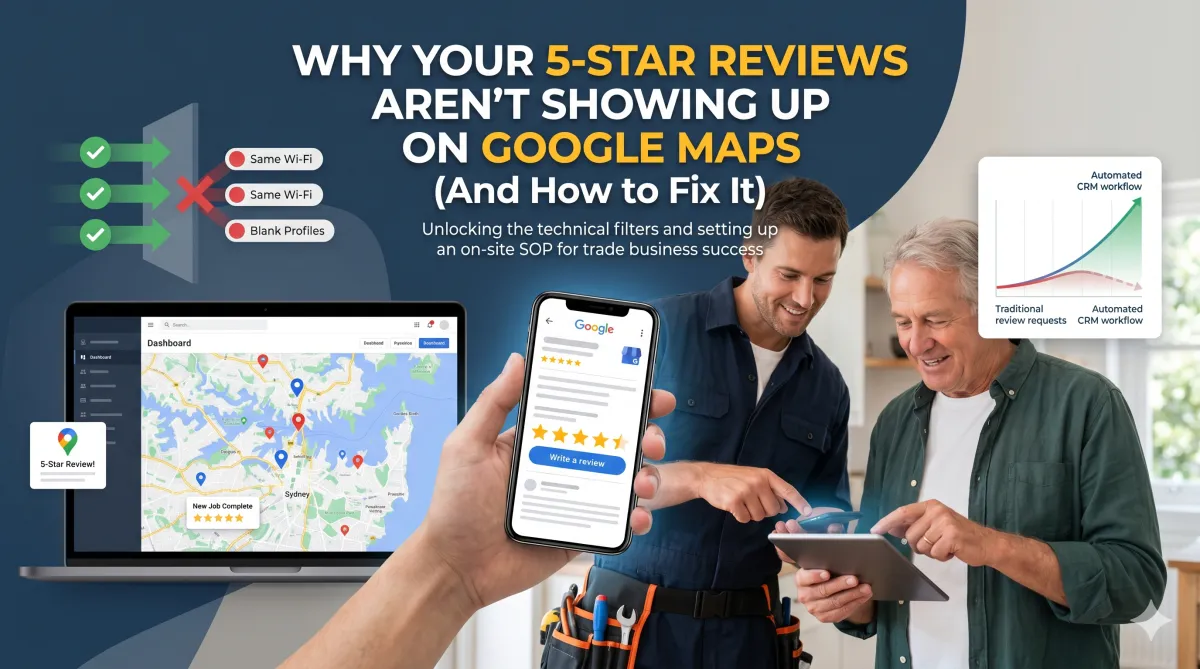
Google’s main goal is to stop fake reviews from gaming local rankings. Unfortunately, honest tradies get caught in the crossfire because of how trade businesses naturally operate. Here is why your reviews are being filtered out:
1. The Same Wi-Fi Network Trap
If your technician finishes a job, hops onto the customer’s home Wi-Fi to show them the quote or invoice, and then asks the client to leave a review while still connected to that same network, Google’s algorithm flags it. To Google, it looks like an employee is sitting in your office writing fake reviews for your own business.
2. URL Links in the Review Content
If a customer gets overly enthusiastic and types something like, "Best sparky in Sydney! Check out their work at www.yourdomain.com.au," Google will instantly ghost it. Google strictly prohibits URLs, phone numbers, or email addresses within review text to eliminate promotional spam.
3. Reviewing from the Job Site via Your Device
Handing your own phone or tablet to a customer while you're standing in their kitchen is a massive mistake. When multiple reviews originate from the exact same device ID and IP address, Google flags the account for review manipulation. Every single review must come from the customer's personal device and independent Google account.
4. Brand New Google Accounts
If a client sets up a brand-new Google account purely to leave you a review because they don't usually use Gmail, Google treats it with high suspicion. Unverified profiles with zero history of local guiding or mapping activity often have their reviews filtered out automatically until the account establishes trust.
The On-Site Tradie SOP: How to Guarantee Reviews Stick
To make sure your review numbers keep climbing, you need a repeatable process on the tools. Stop sending generic emails three days later when the client has already forgotten how good your service was. You need to capture the review right at the moment of peak satisfaction.
Follow this strict 3-step on-site protocol:
Step 1: Check the Connection. Before prompting the client, ensure they are using their own smartphone and are connected to their own mobile data network (4G/5G) rather than sharing a hotspot or Wi-Fi network that your business devices are actively utilising.
Step 2: Provide Specific Keywords. Don't just ask for "a review." Ask them to mention the specific service and location. For example: "If you could mention that we did a hot water system replacement in Parramatta, it really helps our local business show up on the maps." This guides them away from writing spammy links while naturally embedding high-intent SEO keywords.
Step 3: Trigger the Direct Link Instantly. Do not make them search for your business name on Google, as clicking a direct, clean review link establishes a clear user path that Google trusts.
How AI and Automation Fix the Review Drop-Off
Let’s be honest: when you are flat out chasing subbies, quoting jobs, or stuck in a roof cavity, manually sending review links is the first thing that falls through the cracks. Relying on your memory means you are leaving money on the table.
Smart trade businesses use automated CRM workflows to handle this on autopilot. By integrating your quoting and invoicing software with an automated marketing engine like the Tradie Web & SEO Quest CRM, the entire process is handled without you lifting a finger[cite: 1].
[Job Marked 'Won' or 'Paid'] ---> [System Waits 30 Minutes] ---> [Automated SMS Sent with Clean Link]
The moment your technician marks a job as "Complete" or "Paid" in the field, the system triggers an automated SMS request directly to the client’s mobile[cite: 1]. This ensures the request arrives while the high-quality workmanship is fresh in their mind, yielding an incredibly high conversion rate[cite: 1].
Furthermore, if a review fails to appear due to an algorithmic glitch, an integrated AI lead management system tracks your review velocity and can automatically prompt your database with targeted reactivation campaigns to keep your local map pack position steady[cite: 1].
The Ultimate Tradie Review Checklist
Print this out, pass it to your team, and stick to it on every single job site:
Never let a client use your company phone, tablet, or laptop to submit a review.
Never request or submit reviews while connected to the client's home Wi-Fi network if your business devices are connected to it.
Always have the client use their own smartphone on mobile data to navigate to your clean Google Business Profile review link.
Always instruct clients to avoid adding website links, phone numbers, or prices in the written text of the review.
Implement a Google Review Funnel that send out automatic reminders until they levae you a review. We set our funnels at 4 messages/emails and then it automatically turns off.
Stop Losing Massive Leads to Competitors
Every single 5-star review you miss out on is a job handed directly to the bloke down the road. If you are tired of fighting with Google's algorithm, losing tracking of your leads while you're on a roof, or watching your hard-earned reputation vanish, it's time to build a digital asset that works as hard as you do.
At Tradie Web & SEO, we build high-converting, lightning-fast websites and deploy automated CRM systems tailored specifically for Australian trade business owners[cite: 1]. We take care of the bookwork, the automation, and the local SEO dominance so you can focus on scaling your business and getting off the tools.
Ready to dominate your local map pack?
Visit www.tradiewebandseo.com.au today and let’s get your review engine running on absolute autopilot.
CASE STUDIES - CLICK HERE
SEO & GBP MANAGEMENT TO GET YOUR PHONE TO RING: CLICK HERE